

Resonate records each step of a durable execution as a promise. That is a good storage model that requires an understanding of the protocol to create a debugging surface.
In other words, a failed workflow sits in a store as a set of rows, and getting the story out of that means knowing which query to write.
resonate-ui reads those promises back and reassembles them into the call graph they came from, so a run arrives as a picture. The UI is Apache-2.0, it builds to static files, and the browser talks to your server directly.
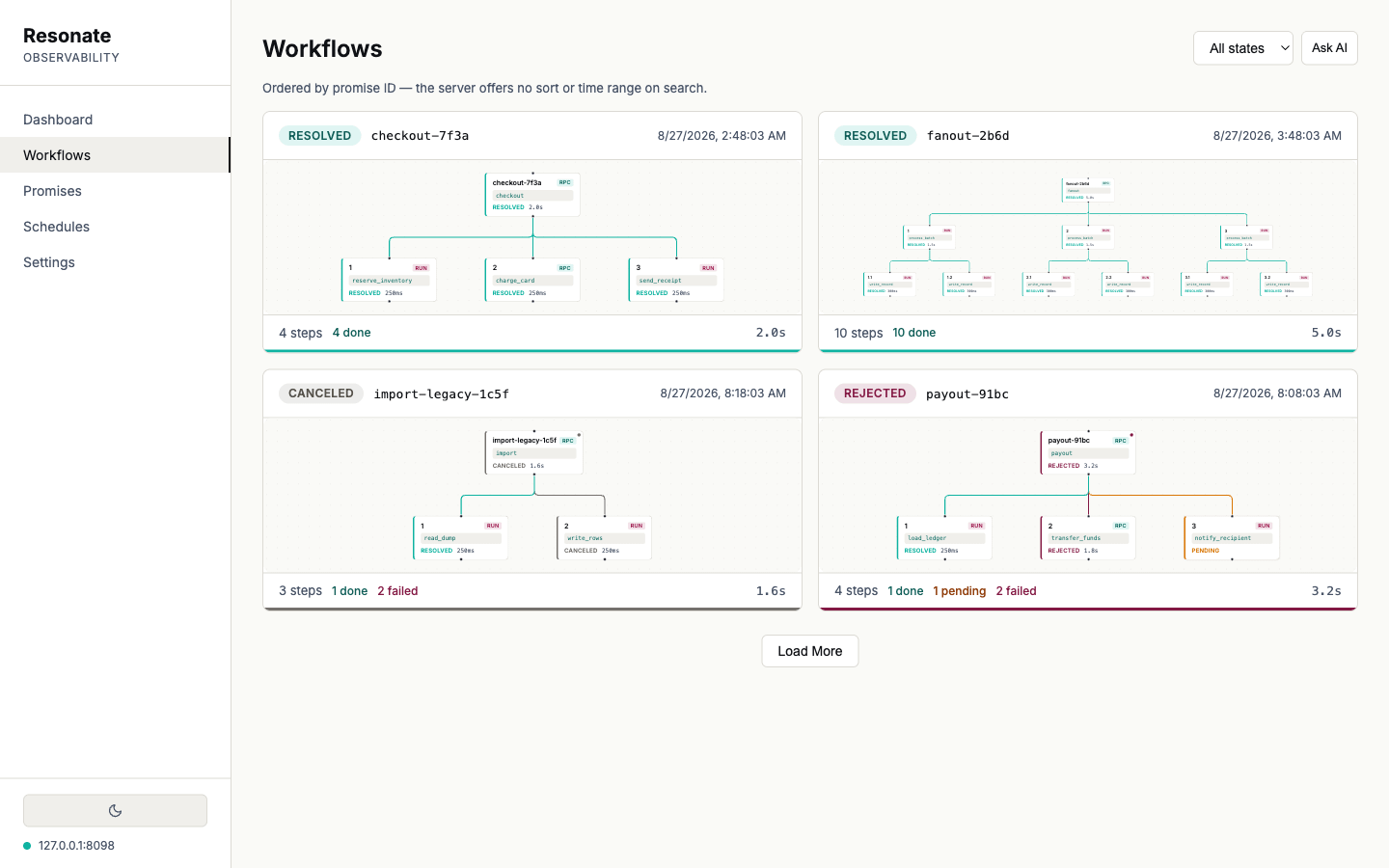
Five states, drawn as five
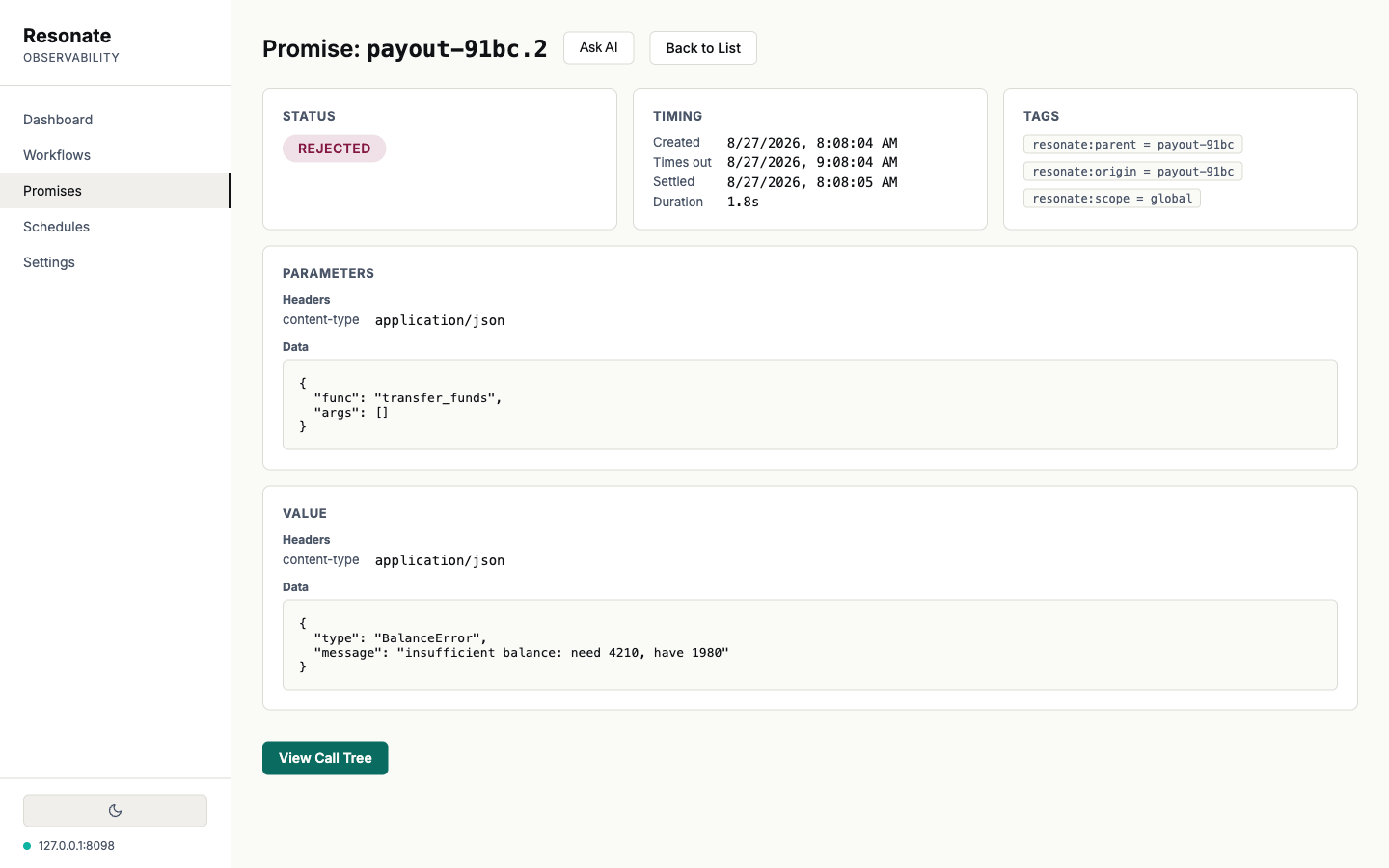
A rejection, a cancellation and a missed deadline call for three different responses respectively, including different colours and labels in every view. Graphs lay out automatically, pan and zoom, and hold their shape while the data refreshes underneath. Parameters and return values arrive base64-encoded; the console decodes them and pretty-prints the JSON, so the reason a step failed reads as BalanceError: insufficient balance: need 4210, have 1980 on the page instead of in your clipboard on the way to a decoder.
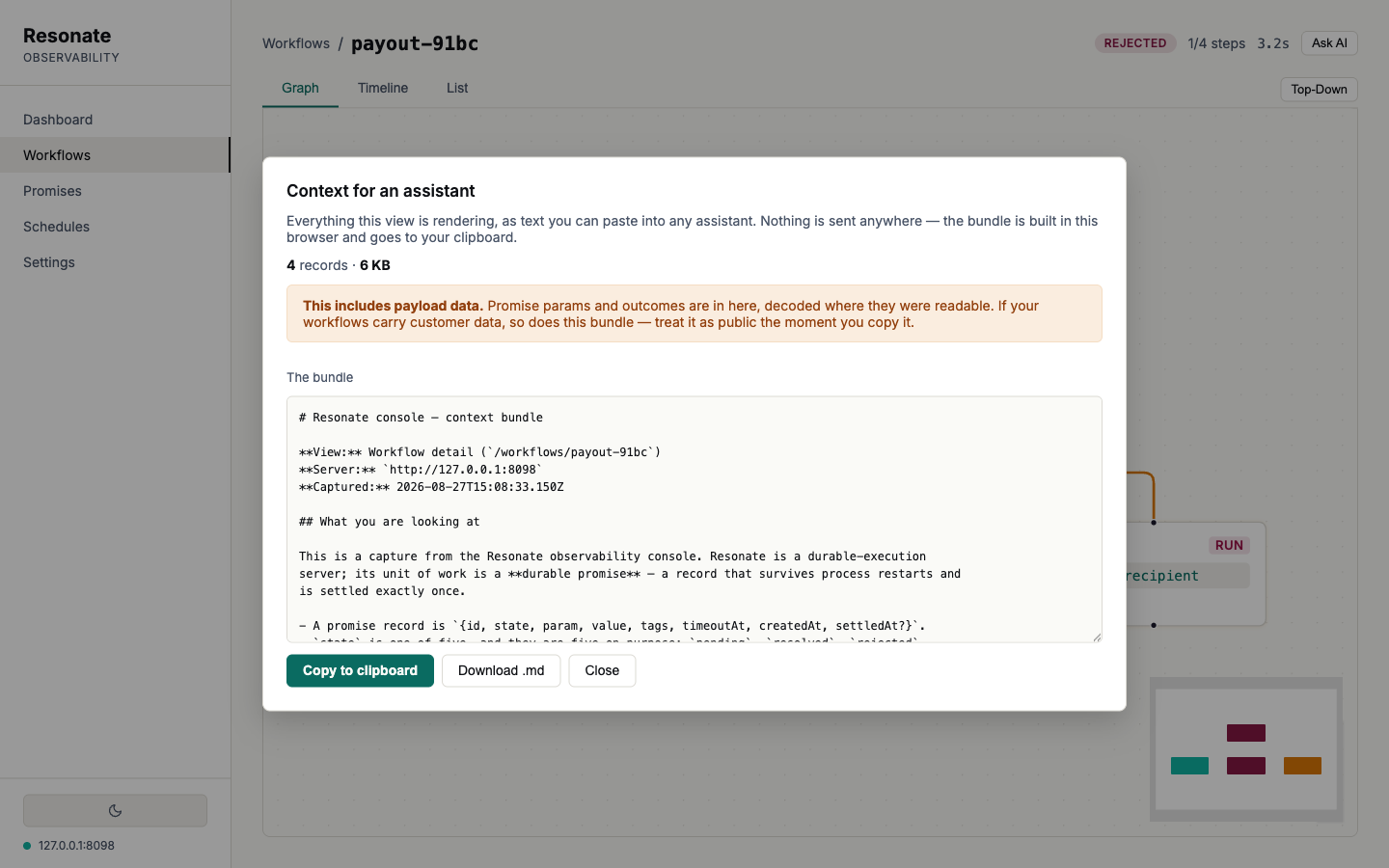
Context for an assistant
Every record-bearing view carries an Ask AI button that turns what you are looking at into a single Markdown document: the schema, the view state, the structure, the raw records and the decoded payloads. It is built in your browser and copied to your clipboard. A human can read the graph, while an AI assistant reads the bundle.
The document closes by listing what it left out: records past the cap, values it could not decode, a view that failed to load. That last item took a fix. The all-clear branch used to fire whenever there were no caps and no redactions, which is exactly the state a failed load leaves behind, so the most confident document the feature could emit came from the least informed capture.
Run it against the fixture
npm install
npm run mock     # a fixture speaking the real protocol, on :8099
npm run dev      # the console, on :5173
Every screenshot above is that fixture. It seeds six named workflows and a batch queue anchored to the moment you start it, so the dashboard has a live hour behind it and the schedules have a next run ahead of them.
The README is the full tour: CORS and auth setup, the API compatibility notes, the known limitations and the roadmap. The concepts are in the docs, and questions go to Discord.